Built for servers that care about audio fidelity and clean channels.
Audio never touches the main Python bot process. A dedicated Lavalink node handles decoding and playback streaming while Alfred manages your server requests.
Multi-source streaming
Stream directly from YouTube, Spotify, and Deezer. Tracks, full albums, playlists, and raw audio URLs all resolve the same way.
LavaSearch autocomplete
Instant suggestions inside Discord's slash command input. Narrow by track, artist, album, or playlist before you ever hit enter.
Now playing view
One reactive card per track. Pause, Skip and cycle Loop from Discord buttons, and the card redraws in place on every press.
Quiet unless asked
Every message is a reply to a command, or the now playing card that follows the current track. Alfred posts nothing else, ever.
Auto-leave
Alfred disconnects the moment the last listener leaves, queue or no queue. It never lingers in an empty room holding a voice slot.
Song in the sidebar
While a track plays, Alfred's status shows the song and artist under its name. A glance at the member list tells you what is on.
02 / Commands & Interactive UI
Seven slash commands.
`/play` connects to your voice channel automatically - there is no `/join`. Loop and shuffle are options on the command rather than commands of their own. Try the buttons below to test the reactive panel state machine.
💡 Press the buttons - the card redraws in place, exactly as it does in Discord.
Group
Command
Description
MUSIC
/play
Add track, playlist or URL to queue with auto voice join
MUSIC
/search
Live autocomplete across tracks, artists, and playlists
QUEUE
/now
Show the track playing right now as a card
QUEUE
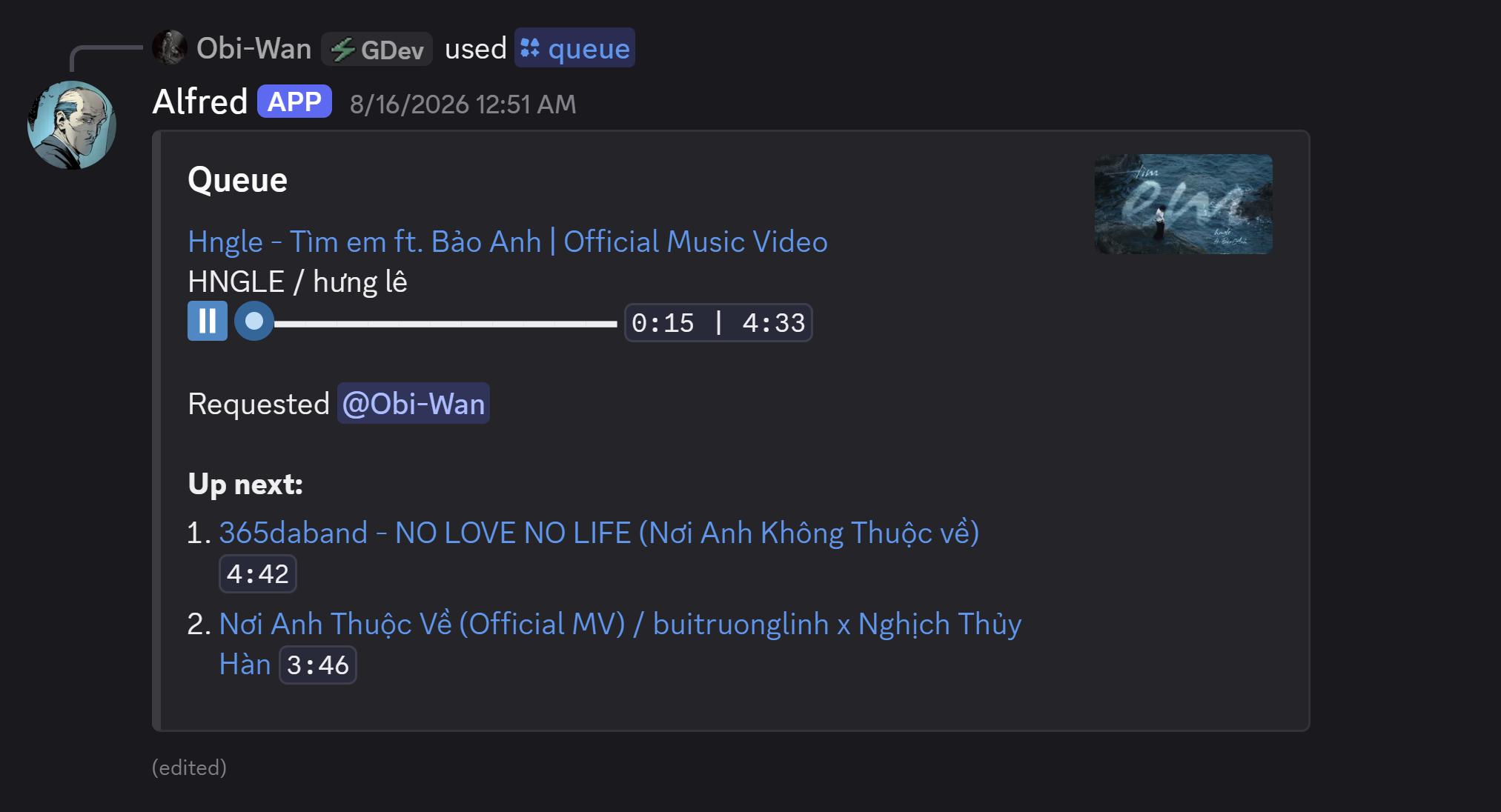
/queue
Open the interactive button panel and track list
QUEUE
/skip
Move forward to the next queued track
QUEUE
/remove
Drop a specific track from the queue index
VOICE
/leave
Disconnect bot from voice and clear player state
03 / Architecture
Engineered for zero-lag streaming.
Alfred isolates control logic from audio transport, guaranteeing high responsiveness even under heavy server load.
Component Topology & Audio Pipeline
flowchart TD
    subgraph Discord["Discord Platform"]
        User["User / Discord Client"]
        VC["Voice Channel"]
    end

    subgraph Bot["Alfred Bot"]
        Hikari["hikari Gateway & lightbulb"]
        Service["Alfred Service & Player State"]
    end

    subgraph Node["Lavalink Audio Node (JVM)"]
        Lavalink["Lavalink Server Engine"]
        Plugins["LavaSrc · LavaSearch · YouTube Plugin"]
    end

    subgraph Daemon["Signature Daemon"]
        Cipher["yt-cipher Container"]
    end

    subgraph Sources["Audio Sources"]
        YT["YouTube"]
        SP["Spotify"]
        SC["SoundCloud / Deezer / Bandcamp"]
    end

    User -->|"Slash commands & panel buttons"| Hikari
    Hikari --> Service
    Service -->|"REST / WebSocket (lavalink.py)"| Lavalink
    Lavalink --- Plugins
    Plugins -->|"JavaScript decipher requests"| Cipher
    Plugins -->|"Audio stream extraction"| Sources
    Lavalink ==>|"Direct voice UDP stream"| VC
04 / Quickstart
Up and running in three steps.
Choose Docker Compose for production deployments or uv for local development.
BASH / CLI
# 1. Clone & prepare environment filescp .env.example .env
cp lavalink/application.yml.example lavalink/application.yml
# 2. Set DISCORD_TOKEN & CIPHER_PASSWORD in .env# Linux permissions (first run only):chown -R 322:322 lavalink/logs lavalink/plugins
# 3. Start all three services (yt-cipher, Lavalink, Alfred)docker compose up -d
Docker Compose automatically starts yt-cipher, Lavalink, and the bot in ordered sequence. To rebuild after local edits, run docker compose up -d --build bot.
# Requires Java 21+ for Lavalinkwinget install --id Microsoft.OpenJDK.21 -e
# Terminal 1: Run Lavalink node.\scripts\lavalink.ps1# Terminal 2: Run Alfred bot with uvuv sync --frozen
uv run alfred
Running locally connects directly to LAVALINK_HOST=127.0.0.1. Run checks with uv run pytest and uv run ruff check ..
# Check VPS deployment guide for machine hardening & OAuthgit clone https://github.com/nauqh/alfred.git /opt/alfred
cd /opt/alfred
# Follow docs/deploy.md for YouTube OAuth token generator# and systemd/docker restart configurations
When running on VPS host IPs flagged by YouTube, configure YouTube OAuth as documented in docs/deploy.md.
Before your first run:
• YouTube needs no credentials locally - the bundled yt-cipher server handles it. On a VPS, YouTube blocks the host IP and you will need OAuth; the deploy guide walks through it.
• Spotify registers without credentials but fails per request, so /search returns nothing until clientId and clientSecret are set.
• Deezer is off until configured - LavaSrc refuses to start with deezer: true and an empty masterDecryptionKey, so enable it in the same edit that fills the key.
05 / Documentation & Guides
Deep dive into deployment and architecture.
Production operations, how the codebase is put together, and the decisions behind it.